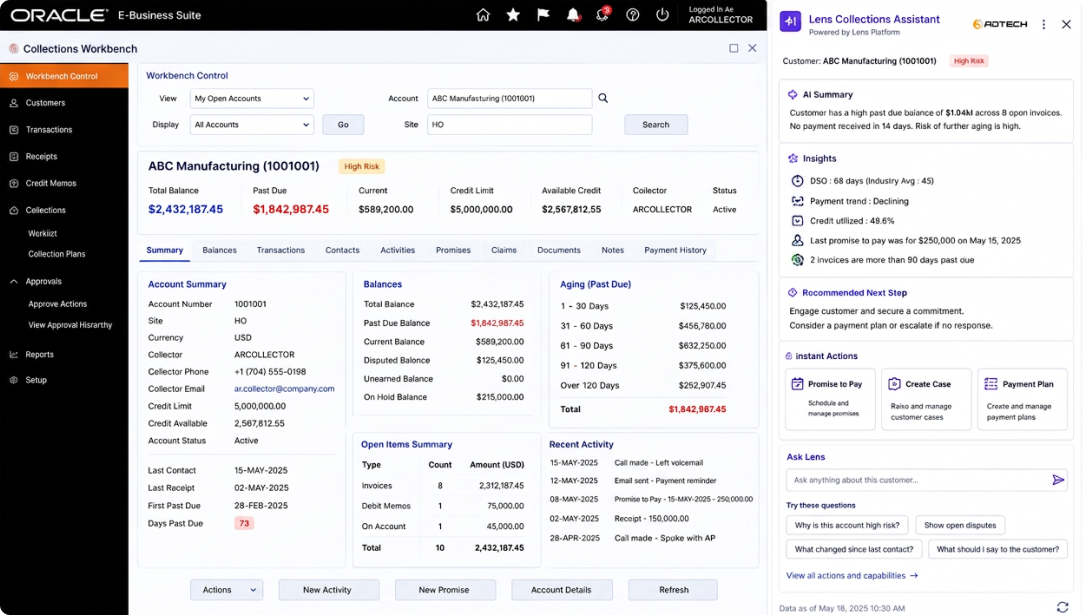
Executive
Most leadership reviews run on numbers assembled by hand the week before: someone pulls DSO from finance, someone else pulls the approval backlog from procurement, someone stitches it into a deck. By the time the review happens, part of it is already out of date, and none of it was checked against what the other functions are seeing.
74%
of business leaders say they can’t access the data they need for strategic decisions.
81%
report their departments ending up working at cross-purposes as a result (Cascade, State of Strategy Report, 2026).
A cross-functional view combining DSO trend from Collections, approval cycle time from Approvals, spend and supplier risk exposure from Procurement, and close status from Finance — each figure with a drill-down back to the workspace it came from, all observable through the same live governance dashboard used across ERPLens.
It combines live numbers from the Collections, Approvals, Procurement and Finance workspaces into a single cross-functional view, so leadership sees current status instead of a deck assembled the week before a review.
No. It’s a roll-up of the operational workspaces ERPLens already runs — it’s not a general-purpose BI tool and doesn’t hold data outside of those connected systems.
Yes, within the access your policy engine grants them. Every figure traces back to the workspace and the underlying records it came from.
The same policy engine and RBAC boundaries used across ERPLens. Executives typically see roll-up numbers; account-level detail stays with the team that owns it, unless you configure otherwise.
Live — it reflects the same real-time data feeding the Collections, Approvals, Procurement and Finance workspaces, not a periodic export.
The Executive view is most useful with all four connected, but it will reflect whichever workspaces you’ve deployed.
Forty-five minutes with our architects. No slides — your leadership data, your systems, and an honest answer on what would work.
Book a 45-minute architecture session